
Learning your first programming language is an exciting step. At the beginning, the main goal is usually to understand how code works, how to write simple programs, and how to solve basic problems. Once you become comfortable with one language, however, you may start wondering what comes next.
If your goal is to become a full-stack developer, learning another programming language is not always the best next step. Full-stack development is about understanding how different parts of an application work together. You need to know how the visible part of a website works, how information is handled behind the scenes, how data is stored, and how everything communicates.
The good news is that you do not need to learn everything at once. You can build your skills step by step, using the programming knowledge you already have as a foundation.
Start by Strengthening Your First Language
Before moving into full-stack development, make sure you are comfortable with the programming language you already know. You do not need to become an expert, but you should understand the basics well enough to build small programs without constantly following tutorials.
You should be comfortable creating functions, working with variables, using conditions, handling repeated tasks, and working with common data structures. You should also understand how to organize a small program into separate parts.
More importantly, try building something on your own. A simple expense tracker, calculator, task manager, quiz application, or file management program can teach you much more than simply reading programming lessons.
This stage is important because full-stack development involves solving problems rather than only writing individual lines of code. A strong understanding of your first language makes learning the next technologies much easier.
Learn How Websites Work
If you have mainly worked with a programming language, your next step should be understanding the web.
A website is more than the code running on a computer. When you open a website, your browser receives information from another computer, displays it, and often communicates with that computer again when you click a button, submit a form, or request new information.
Start by learning HTML. HTML gives a web page its basic structure. It tells the browser what is a heading, paragraph, image, link, form, button, and other parts of the page.
After HTML, learn CSS. CSS controls how those elements look. It can change colors, spacing, sizes, positions, fonts, and the overall appearance of a page. It also helps a website work properly on phones, tablets, and computers.
These two technologies may seem simple compared with programming languages, but they are essential for anyone who wants to work on websites.
Learn JavaScript for the Web
If your first programming language is not JavaScript, learning JavaScript is a natural next step for web development.
JavaScript allows websites to respond to users. It can change page content, validate forms, display messages, open menus, update information, and perform many other tasks without requiring the entire page to reload.
The important thing is not simply learning JavaScript syntax. You should understand how JavaScript works inside a web browser and how it interacts with HTML and CSS.
For example, build a small task application. Let users add tasks, mark them as complete, remove them, and save their tasks. Projects like this help you understand how the different parts of a website work together.
If you already know another programming language, you may find JavaScript easier to learn because many basic programming ideas are familiar.
Understand How the Front End Works
The front end is the part of an application that users see and interact with. Once you understand HTML, CSS, and JavaScript, you can begin creating more useful interfaces.
At this stage, focus on building complete pages instead of spending too much time learning every available feature.
Create a registration page, product page, personal dashboard, blog page, or online store interface. Pay attention to how information is displayed and how users move from one part of the page to another.
You should also learn how to make pages responsive. A website should not look good only on a large desktop screen. It should also be comfortable to use on a phone.
After becoming comfortable with basic JavaScript, you can learn a popular JavaScript framework or library such as React. This can make it easier to create larger and more interactive websites.
Do not rush into a framework simply because it appears in job advertisements. Learn the basics of JavaScript first. A framework becomes much easier to understand when you already know what problem it is solving.
Move to the Back End
Once you understand how the visible side of a website works, it is time to learn what happens behind it.
The back end handles many tasks that users do not directly see. It can receive information from a website, check that information, communicate with a database, manage user accounts, and send results back to the browser.
There are several ways to build the back end. If you have learned JavaScript, Node.js is a common choice because it allows you to use JavaScript outside the browser.
You can also use languages such as Python, Java, C#, PHP, Ruby, or others. You do not need to learn all of them. Choose one that matches your goals and build a solid understanding of it.
The important thing is to understand how a server receives a request and sends a response. Once this becomes clear, the connection between the front end and back end starts to make much more sense.
Learn About APIs
As you move toward full-stack development, you will frequently hear the term API. In simple terms, an API provides a way for different parts of software to communicate with each other.
Imagine that you have a shopping website. The page in your browser may ask the server for information about a product. The server receives the request, gets the required information, and sends it back. The page can then show the product details to the user.
Learning how these requests and responses work is an important part of becoming a full-stack developer.
Start with simple examples. Create a small back-end application that provides information about books, products, movies, or tasks. Then create a front-end page that requests that information and displays it.
This gives you practical experience with connecting different parts of an application.
Learn a Database
Applications often need to remember information. User accounts, orders, messages, products, articles, and tasks all need somewhere to be stored.
This is where databases come in.
You should learn the basics of at least one database system. A relational database such as PostgreSQL or MySQL is a useful starting point because it teaches you how information can be organized into tables and connected through relationships.
You can later explore other types of databases when a project requires them.
The goal is not to memorize database commands. Instead, learn how to create, read, update, and remove information. Understand how tables are organized and how different pieces of information can be connected.
Try building a small application where users can create accounts and save information. This will show you why databases are important in real applications.
Connect Everything Together
This is where your learning begins to feel like full-stack development.
Imagine building a simple task management website. The front end allows users to create and manage tasks. The back end receives their requests. The database stores the tasks. The server sends the stored information back to the website.
Now you are no longer working with isolated programming exercises. You are building an application where multiple technologies work together.
This is an important stage because it teaches you how to think about an application as a complete system.
Do not worry if your first full-stack project feels difficult. It probably will. You may encounter errors between the browser, server, and database. Solving these problems is part of learning.
Learn Git and Basic Project Management
As your projects become larger, you need a reliable way to keep track of your code.
Git is one of the most widely used tools for this purpose. It records changes to your project and makes it easier to return to an earlier version when something goes wrong.
You do not need to learn every Git command. Start with the basics and use Git regularly while working on your projects.
You can also use a service such as GitHub to store your projects online. This can be useful when working with other developers and when showing your work to potential employers.
The biggest benefit is that you develop a professional habit of saving and tracking your work instead of keeping everything in one folder on your computer.
Learn How to Build Secure Applications
Security should not be something you think about only after building an application.
When users create accounts or enter information into your website, you need to understand how that information should be handled safely. Learn the basics of passwords, user permissions, input checking, and secure communication.
You do not need to become a security specialist at this stage. However, you should understand common mistakes that can put user information at risk.
For example, never store passwords as plain text. Learn how passwords are safely protected and why user input must be checked before being processed.
Developing these habits early will make your applications more reliable and safer.
Learn to Test Your Work
Testing is another skill that becomes important as your applications grow.
When a project is small, you may be able to click through it yourself and notice obvious problems. Larger applications are different. A change in one area can accidentally break another area.
Start by testing the features you build. Check what happens when users enter correct information and what happens when they make mistakes.
You can gradually learn automated testing as you become more comfortable. The purpose is simple: make sure your application behaves as expected and remains reliable when you make changes.
Build Projects Instead of Only Watching Tutorials
One of the biggest mistakes new developers make is spending too much time watching lessons without building anything.
Tutorials are useful, but they cannot replace practice. After learning a concept, try using it in your own project.
Start small and increase the difficulty gradually. Build a simple website, then add user accounts. Add a database. Add a back end. Connect it to the front end. Add search, editing, and other useful features.
You will make mistakes along the way. That is normal. In fact, fixing those mistakes is one of the best ways to understand programming.
Your projects also become evidence of what you can actually do. A collection of finished projects can be more useful than a long list of technologies you have studied but never used.
Understand Deployment
Eventually, you will want other people to access your application.
Deployment means making your application available on the internet. You will need to understand the basic difference between your local computer and a live application.
You can begin with simple hosting services that make deployment easier. Learn how to upload your front-end application, run your back-end code, connect a hosted database, and manage basic settings.
You do not need to become an expert in servers and cloud systems immediately. Focus on understanding the basic process of taking an application from your computer and making it available to users.
What Should You Learn Next?
The path from one programming language to full-stack development does not have to be complicated.
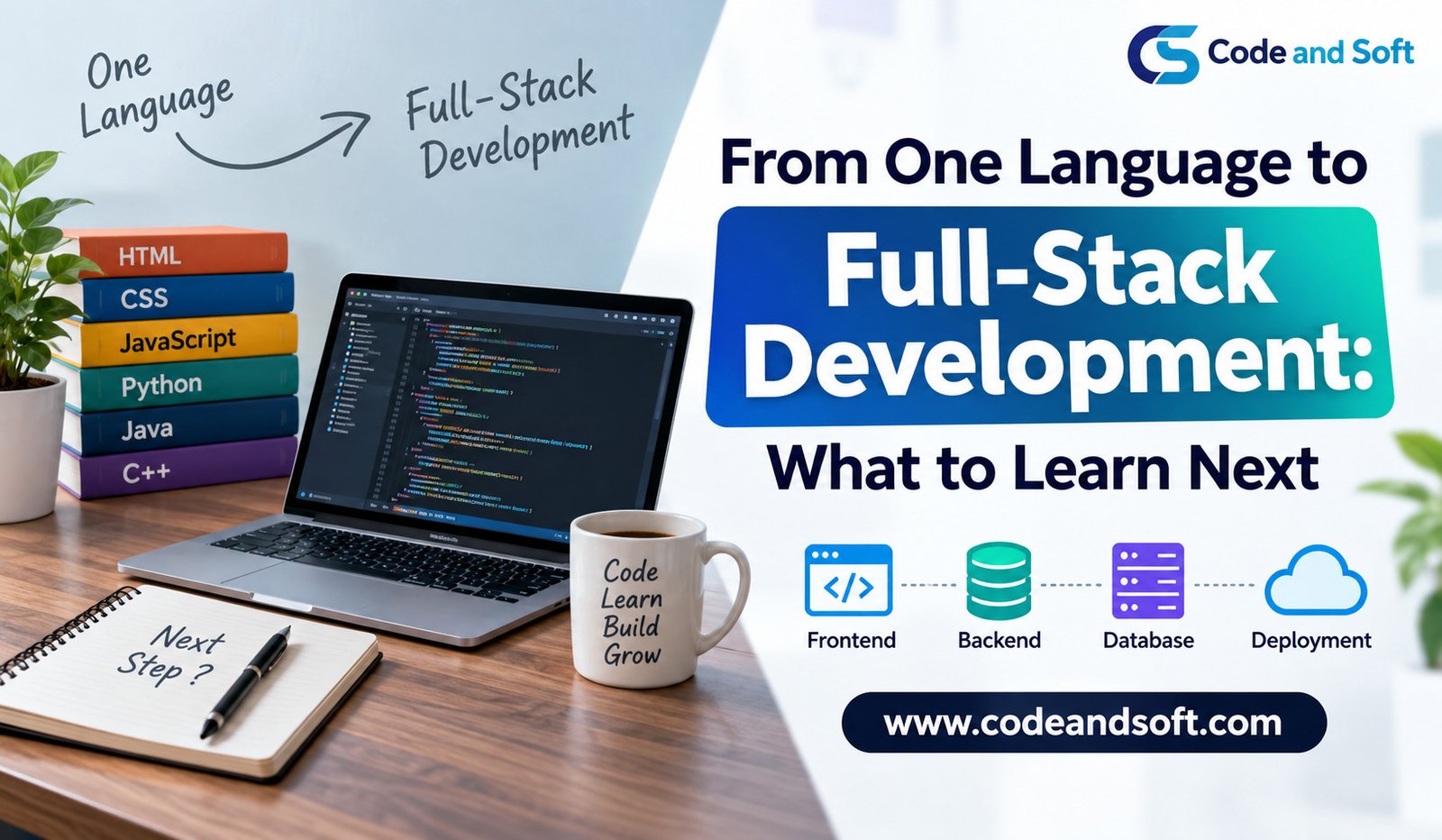
Start with a strong foundation in the language you already know. Then learn HTML and CSS, followed by JavaScript if you want to work on modern web applications. Build your front-end skills before moving into the back end. After that, learn how servers, APIs, and databases work together.
Once you can build complete applications, add Git, basic security, testing, and deployment to your skill set.
Most importantly, avoid trying to learn every technology at the same time. The world of web development contains hundreds of tools, frameworks, and services. You do not need all of them to become a capable developer.
A better approach is to learn one concept, use it in a project, understand the problems you encounter, and then move to the next concept.
Final Thoughts
Moving from one programming language to full-stack development is a gradual process. Your first language gives you the basic thinking skills needed to write programs. Web technologies then teach you how applications work in a browser, while back-end development and databases show you what happens behind the scenes.
The most valuable step is to connect these skills through real projects.
You do not need to know everything before calling yourself a full-stack developer. You need to understand the main pieces, know how they work together, and be comfortable learning when a project requires something new.
If you keep building, testing, fixing, and improving your applications, the path from learning one language to creating complete web applications becomes much more manageable.