
Your social media bio may be one of the smallest parts of your profile, but it can play a surprisingly big role in your creator journey. You use Instagram, TikTok, YouTube, LinkedIn, or X to attract attention, share your work, and build an audience. But once someone becomes interested in you, where do you send them?
If your answer is “I have different links everywhere,” you may be making things harder for your audience than necessary.
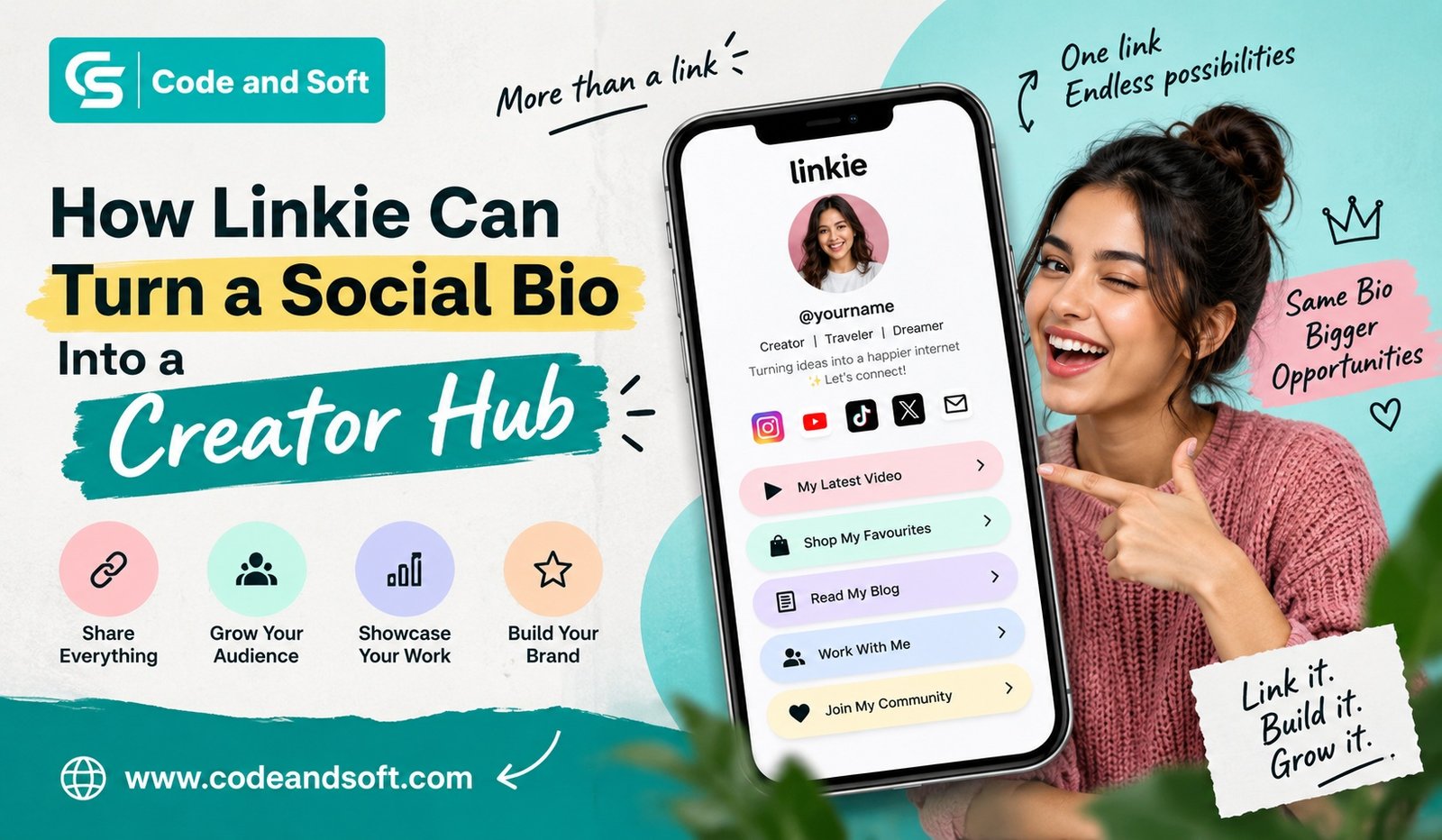
This is where Linkie can make a difference. Instead of treating your social bio as a simple space for one URL, you can turn it into a central destination where your audience can discover your content, products, services, social profiles, and other important resources.
In simple terms, Linkie Turn a Bio Into Creator Hub means transforming that small bio link into a useful, organized online home for everything you want your audience to see.
What Is a Creator Hub?
A creator hub is essentially a central online page where you bring together the different parts of your creator business or personal brand.
Think about everything you may want your followers to access:
- Your website
- YouTube channel
- Instagram or TikTok profile
- Latest blog post
- Podcast
- Online store
- Portfolio
- Digital products
- Services
- Booking page
- Newsletter
- Important announcements
- Contact information
Normally, these destinations exist separately. Your followers may have to search through your profile, old posts, captions, or different platforms to find them.
With Linkie, you can organize these destinations on one page. Linkie describes its platform as a customizable page where you can bring links, posts, embeds, products, contact options, and other content together.
That makes your social bio more than just a signpost. It becomes a starting point for your entire online presence.
Why Your Social Bio Needs More Than One Link
Imagine that someone discovers your Instagram Reel and likes what you create. They visit your profile and want to learn more about you.
Maybe they want to watch your YouTube videos. Another visitor may want to buy your product. Someone else could be interested in your photography portfolio, while a potential client may want to contact you.
If your bio only points to one destination, you have to choose which opportunity gets priority.
That can be frustrating.
A Linkie page gives you a way to bring those destinations together. Instead of asking your audience to search for you across multiple platforms, you can give them one place to start.
This is one of the biggest ways Linkie Turn a Bio Into Creator Hub can work for you.
Turn Your Bio Link Into Your Online Home
The biggest advantage of a creator hub is organization.
You can structure your Linkie page around the things that matter most to your audience. For example, if you are a YouTube creator, you could place your latest video near the top, followed by your channel, Instagram profile, newsletter, and recommended resources.
If you’re a freelancer, your page could focus more on your portfolio, services, client booking link, testimonials, and contact information.
You are not limited to thinking of the page as a simple list of buttons. Linkie supports different types of content and embeds, allowing you to create a page that feels more like a lightweight website.
That flexibility is especially useful when your creator career starts growing.
Showcase Your Content in One Place
As a creator, your content is probably spread across several platforms.
You may publish a YouTube video on Monday, an Instagram Reel on Wednesday, a podcast episode on Friday, and a blog post over the weekend.
Your followers may not see everything.
Instead of relying on individual social platforms to distribute every piece of content, you can use your Linkie page to highlight important work.
You could feature:
Latest video: Give visitors an immediate way to watch your newest upload.
Featured post: Highlight content that represents your style or expertise.
Podcast: Give listeners direct access to your episodes.
Blog: Send readers to your latest article or a collection of useful posts.
Portfolio: Let potential clients quickly see what you can do.
This gives visitors a clearer picture of your work without requiring them to jump between different apps.
Give Your Audience a Clear Next Step
One common mistake creators make is adding too many links without thinking about what visitors should do next.
More links do not automatically mean more engagement.
Your page should guide people.
For example, if you’re promoting a new digital product, you may want your product link near the top. If you’re trying to grow your email audience, your newsletter signup could become the main call to action.
The idea is simple: don’t make your visitor figure everything out themselves.
A well-organized creator hub helps you decide what deserves attention first.
Linkie itself recommends thinking about your page as a focused destination rather than simply filling it with equal-priority links.
Make Your Page Match Your Brand
Your creator hub should feel like you.
If your social media profile has a recognizable visual identity, sending followers to a generic-looking page can feel disconnected.
Linkie gives you customization options for your page, including themes, colors, backgrounds, typography, layouts, and button styles.
You can therefore create a page that fits your personality or brand.
For example, a travel creator might prefer a visual design that highlights photography. A gaming creator could create something more energetic. A business creator might choose a clean and professional appearance.
The goal is not simply to make your page attractive. It is to make the experience feel consistent from the moment someone discovers you on social media to the moment they explore your creator hub.
Use Your Bio to Support Your Creator Business
Your audience can be valuable, but your creator journey may eventually involve more than gaining followers.
You may want to sell products, promote services, secure collaborations, collect newsletter subscribers, or generate leads.
That means your bio page needs to support your goals.
For example, you could organize your page like this:
Start Here
A short introduction explaining who you are and what you create.
Latest Content
Your newest video, post, podcast, or article.
Work With Me
Your collaboration, consulting, freelance, or sponsorship information.
Shop
Your products, affiliate recommendations, or digital downloads.
Stay Connected
Your newsletter or other social platforms.
This turns your bio into a small but purposeful business hub.
Linkie also supports options for email collection and analytics on applicable plans, giving creators additional ways to understand and build their audience.
Understand What Your Audience Actually Clicks
One of the most useful things you can do as a creator is stop guessing.
You might assume your audience loves your latest YouTube video, but perhaps your portfolio receives more clicks. Maybe your newsletter signup performs better than your store. Or perhaps visitors are consistently ignoring a link that you thought was important.
Analytics can help you identify these patterns.
Linkie provides page activity and analytics features that can help you understand how visitors interact with your page.
You can then make smarter decisions.
If one link consistently performs well, consider giving it more visibility. If another receives almost no attention, you might move it lower or remove it altogether.
Your creator hub should evolve with your audience.
Keep Everything Updated Without Changing Your Social Bio
This is another area where a centralized bio page can save you time.
Imagine you have promoted a new product on Instagram, TikTok, YouTube, and LinkedIn. If your bio points directly to the old campaign, you would need to update multiple profiles.
With a central Linkie page, you can update the destination from one place while continuing to share the same Linkie URL across your social profiles.
That means your Instagram bio can keep the same URL even when the content behind it changes.
This is particularly useful during launches, seasonal campaigns, events, product releases, and collaborations.
A Simple Example of a Linkie Creator Hub
Suppose you’re a fitness creator.
Your Instagram profile attracts people who want workout advice. Instead of sending them to just your YouTube channel, your Linkie page could contain:
- Start Here – My Beginner Workout Guide
- Watch My Latest YouTube Video
- Download My Workout Plan
- Join My Newsletter
- Book a Coaching Session
- Follow Me on YouTube
- Follow Me on TikTok
- Shop My Recommended Gear
Now your social bio is doing much more than directing traffic.
It introduces your brand, highlights your content, supports your business, and gives your audience several relevant ways to connect with you.
That’s the practical meaning behind Linkie Turn a Bio Into Creator Hub.
How to Build a Better Creator Hub With Linkie
You don’t need to add everything at once.
Start with the destinations that matter most.
1. Write a Clear Introduction
Tell visitors who you are and what they can expect from your page.
Keep it short and useful.
2. Choose Your Main Action
Decide what you want visitors to do first. It could be watching your latest video, shopping, booking a service, or joining your newsletter.
3. Add Your Important Links
Add your website, social profiles, content, products, or services.
4. Organize the Page
Put your most important destinations near the top. Group related content together so visitors can scan the page easily.
5. Match Your Branding
Adjust the appearance so the page feels connected to your existing social presence.
6. Review Your Performance
Check your analytics and see which destinations attract attention.
7. Keep It Fresh
Remove expired campaigns and outdated links. Add new content regularly.
Why This Matters as You Grow
When you’re just starting as a creator, you may only have one or two places to send your audience.
But your online presence changes quickly.
One month you might focus on YouTube. The next month you could launch a newsletter. Later, you may introduce a course, start a podcast, sell products, or offer services to brands.
Your bio needs to grow with you.
That’s why a creator hub can be more useful than repeatedly changing a single bio link.
With Linkie, you can maintain one central destination while changing what visitors see inside it.
Final Thoughts
Your social media bio may only give you a small amount of space, but the link inside it can open the door to your entire creator ecosystem.
Instead of sending your audience in different directions, you can give them one organized destination for your content, social profiles, products, services, and other important resources.
That’s where Linkie Turn a Bio Into Creator Hub becomes more than just a concept. You can use your Linkie page as a central home for your online identity and give every new visitor a clearer path to discover what you create.
The key is not to fill the page with every link you have. Think about what your audience actually needs, choose the actions that matter most, organize them clearly, and keep the page updated.
When your social bio becomes the doorway to a well-designed creator hub, every profile visit has the potential to become more meaningful—whether that means a new follower, customer, subscriber, client, or long-term fan.