
Businesses generate enormous amounts of information every day. Customer details, product records, sales transactions, employee information, invoices, website activity, payments, inventory levels, and support requests all become valuable data that organizations need to store and analyze.
A database provides the foundation for managing this information, while SQL gives developers and data professionals a way to work with it. SQL queries can turn large collections of raw records into useful answers, helping applications display information and helping businesses understand what is happening inside their operations.
Learning how SQL queries work with real-world business data is an important skill for developers because it shows how database commands connect to practical business requirements. Instead of thinking about SQL as a collection of commands to memorize, it is more useful to understand how queries answer specific questions.
Business Data Needs Structure
Before a business can use SQL effectively, its information needs to be organized.
Consider an online store. The business might need data about customers, products, orders, payments, and shipping. Rather than placing everything into one enormous table, relational databases typically separate information into related tables.
A simplified structure could contain:
customers
orders
products
order_items
payments
Each table has a specific responsibility.
A customer table might contain customer IDs, names, and contact information. An orders table can store order dates and customer IDs. Product information can be stored separately, while order items connect products to individual orders.
This structure allows businesses to manage information without unnecessarily repeating the same data.
SQL Queries Turn Business Questions Into Database Operations
A business question can often be translated into an SQL query.
For example, a sales manager might ask:
“How many orders were placed this month?”
The developer can convert that requirement into a query that filters orders according to their date.
A simple example might look like:
SELECT COUNT(*)
FROM orders
WHERE order_date >= ‘2026-09-01’;
The exact date logic would depend on the reporting requirement, but the important concept is that SQL translates a practical question into instructions the database can execute.
This is one of the most useful ways to learn SQL. Instead of memorizing isolated syntax, start with the question the business needs answered.
Retrieving Customer Information
One of the most common business operations is retrieving customer information.
Suppose a customer support system needs to find a particular customer:
SELECT name, email
FROM customers
WHERE id = 105;
The database searches the customer records for the requested ID and returns the selected fields.
The query does not need to retrieve every column. Selecting only the required information can make the intention of the query clearer.
In a real application, the customer ID would typically come from application code rather than being typed manually.
Filtering Business Records
Business databases can contain millions of records, so applications rarely need every row at once.
The WHERE clause allows queries to filter information.
For example, an inventory application could find products with low stock:
SELECT name, stock
FROM products
WHERE stock < 10;
This query can support a practical business process. The resulting records could be shown to inventory staff so they know which products may need replenishment.
Filtering is therefore more than a database feature. It is a way of converting operational requirements into useful information.
Joining Related Business Data
Real-world business information is usually distributed across multiple tables. SQL JOINs allow developers to combine related records.
Suppose a business wants to know which customers placed orders:
SELECT customers.name, orders.id
FROM customers
JOIN orders
ON customers.id = orders.customer_id;
The customers table contains customer details, while orders stores order information. The customer ID connects the records.
This relationship allows the application to retrieve information from both tables in one query.
JOINs become increasingly important as business applications grow because different types of information are usually stored separately.
Calculating Sales Totals
Businesses frequently need summarized information rather than individual records.
SQL provides aggregate functions such as SUM, COUNT, AVG, MIN, and MAX.
For example, a company might want to calculate total sales:
SELECT SUM(amount)
FROM payments;
This query produces an overall total.
The same principle can be applied to many business questions, such as the number of registered customers, average order value, largest transaction, or total inventory.
Aggregate functions allow databases to perform calculations close to the data instead of requiring applications to retrieve every record and calculate the result themselves.
Grouping Data for Business Reports
Businesses often want summaries broken down by categories.
For example, an online store might want to know how many products were sold in each category.
SQL’s GROUP BY clause can help:
SELECT category, COUNT(*)
FROM products
GROUP BY category;
Instead of returning every individual product, the query organizes the records by category and calculates a count for each group.
Grouping can be used for reports involving sales regions, product categories, departments, customer segments, and many other business dimensions.
Finding Top-Selling Products
A business may want to identify its best-performing products.
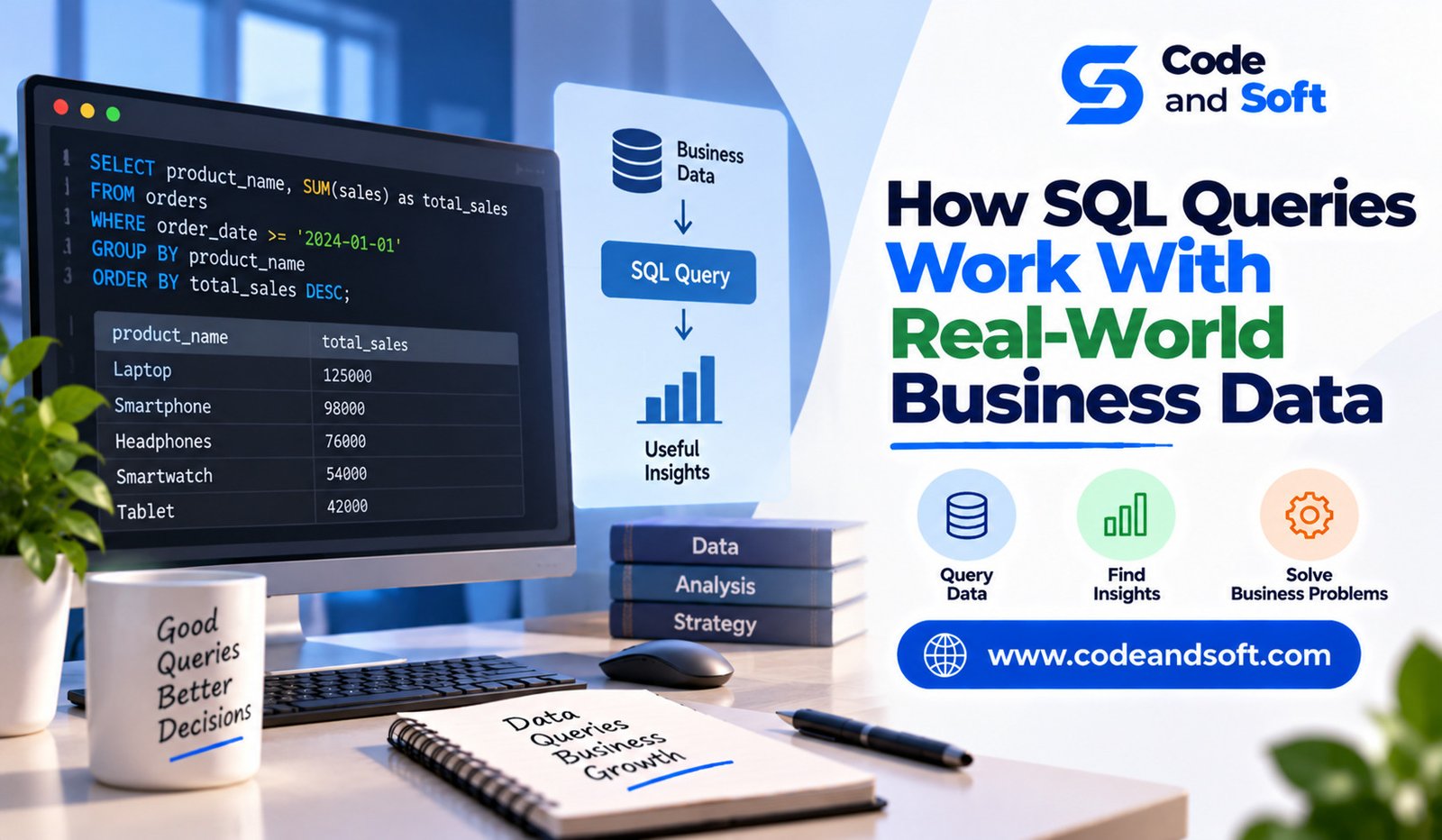
SQL can combine aggregation, grouping, and sorting to answer this type of question.
For example:
SELECT product_id, SUM(quantity) AS total_sold
FROM order_items
GROUP BY product_id
ORDER BY total_sold DESC;
The database groups order items by product, calculates the total quantity sold, and sorts the results from highest to lowest.
An application could use the resulting information to display a sales dashboard or help managers make inventory decisions.
Using Dates in Business Queries
Dates are extremely important in business databases.
Organizations frequently need reports by day, week, month, quarter, or year.
A sales team might need to compare current-month sales with previous-month results. A marketing department may want to review customer activity during a specific campaign period.
SQL queries can filter records based on date values and, depending on the database system, extract or group information by different parts of a date.
The exact syntax varies between database platforms, but the underlying idea remains the same: date-based queries allow businesses to analyze changes over time.
Searching Customer and Product Data
SQL can also support search functionality.
An application might need to find customers whose names contain a particular word:
SELECT name, email
FROM customers
WHERE name LIKE ‘%Amit%’;
Similarly, a product system might search product names or descriptions based on user-entered terms.
Developers should remember that search performance can become an issue as datasets grow. Queries that work well on a small database may require indexes or different search technologies at larger scales.
Updating Business Information
SQL is not limited to reading data. Applications also need to modify existing records.
For example, when a customer changes an email address:
UPDATE customers
SET email = ‘newemail@example.com’
WHERE id = 105;
The WHERE condition ensures that the intended customer is updated.
This highlights an important SQL principle: data-changing operations require careful conditions.
An incorrect UPDATE query could modify many records instead of one. Developers should test such operations carefully and use appropriate safeguards.
Processing Orders and Inventory
SQL often supports workflows where multiple pieces of business data change together.
Consider an online order. When a customer completes a purchase, the application may need to create an order, add order items, record payment information, and reduce inventory.
These operations are related and may need transactional handling.
Transactions help ensure that connected changes are processed consistently. If one critical operation fails, the application may need to roll back changes rather than leaving the database in an incomplete state.
Understanding transactions is therefore important for developers building systems where data accuracy matters.
SQL and Business Dashboards
SQL queries are often behind business dashboards.
A dashboard may show today’s sales, active customers, low-stock products, monthly revenue, or unresolved support requests.
Each number or chart can be based on one or more database queries.
For example, a dashboard could calculate daily order volume with a filtered COUNT, while another query calculates revenue using SUM.
Developers need to understand not only how to write these queries but also how often they should run and whether the database can handle the workload efficiently.
SQL Performance Matters as Data Grows
A query that works quickly with a few thousand records may behave differently when a business has millions of rows.
Indexes can help databases locate information more efficiently for appropriate queries.
Developers should also avoid retrieving unnecessary columns and records. Poorly designed joins or repeated queries can create performance problems.
Performance optimization often requires examining the specific database, query patterns, indexes, hardware, and application architecture rather than relying on one universal solution.
Security When Working With Business Data
Business databases can contain sensitive information, making secure SQL development essential.
Developers should avoid directly inserting untrusted user input into SQL statements through string concatenation.
Parameterized queries or prepared statements should be used where supported by the application’s database library.
Access controls are also important. Applications should only receive the database permissions necessary for their tasks.
A technically correct query is not enough if the application exposes data that users should not be able to access.
SQL Connects Business Requirements With Software
One of the most valuable SQL skills is learning to translate business requirements into data operations.
A manager may ask for the most popular products. A finance team may need monthly revenue. Customer support may need a customer’s recent orders. Warehouse staff may need a list of products with low inventory.
Each request can become a different query or group of queries.
Developers who understand both the business requirement and the database structure are better prepared to build useful applications.
Final Thoughts
SQL queries are much more than commands used to retrieve rows from a database. In real-world business applications, they help turn raw data into information that supports everyday operations, reporting, decision-making, and automation.
Developers use SQL to find customers, process orders, calculate sales, monitor inventory, generate reports, search records, and connect related business data.
The best way to understand SQL is to connect each query to a practical question. Start by asking what the business needs to know or change, then determine which tables contain the required information and how those tables relate to one another.
As datasets become larger, developers must also consider performance, transactions, security, and data consistency.
By learning how SQL works with real business data, developers move beyond memorizing syntax and begin understanding one of the most important connections in software development: turning stored information into useful results.