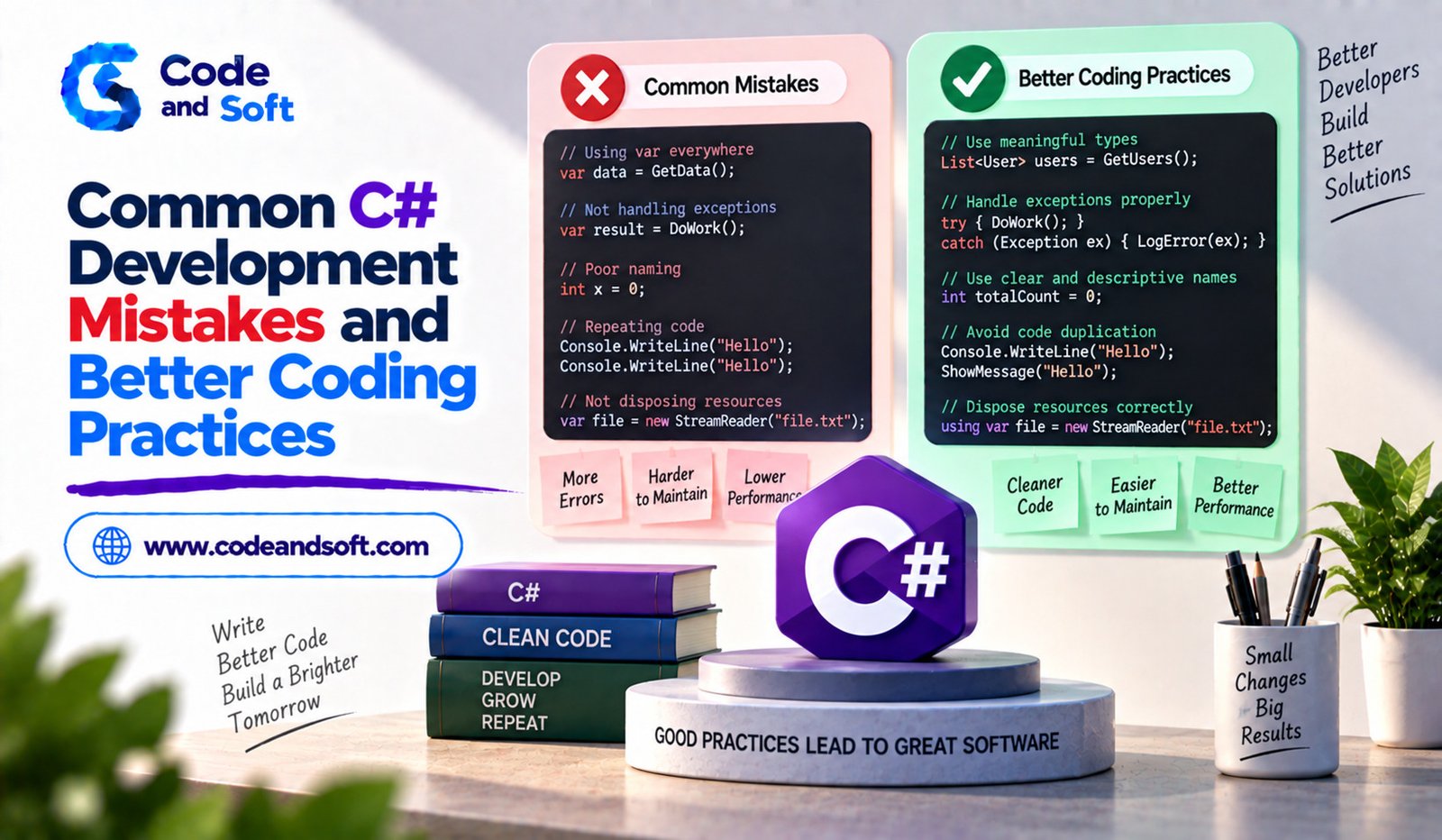

C# is a powerful programming language used for web applications, desktop software, cloud services, games, enterprise systems and many other types of software. Its modern features and extensive .NET ecosystem make development more productive, but having access to powerful tools does not automatically result in good code.
Beginners and experienced developers can both make mistakes that affect readability, reliability, performance and maintainability. Some problems may not cause immediate errors but can become difficult to manage as an application grows.
Learning common C# development mistakes and understanding better coding practices can help developers build software that is easier to test, debug and improve.
Writing Overly Complicated Code
One common mistake is making a simple problem more complicated than necessary.
Developers sometimes create large methods, deeply nested conditions or unnecessary classes when a straightforward solution would be easier to understand.
For example, several nested if statements may work, but excessive nesting can make the logic difficult to follow.
A better approach is to divide complicated logic into smaller methods with clear responsibilities. Each method should ideally perform one understandable task.
Readable code is usually easier to maintain than clever code that requires extensive explanation.
Ignoring Proper Naming Conventions
Names are an important part of C# code.
Variables, methods, classes and properties should communicate their purpose clearly. Names such as x, data1 or temp may be acceptable for very small, local calculations, but they become confusing when used throughout larger sections of code.
Instead of:
int x = 500;
a meaningful name could be:
int productPrice = 500;
Similarly, method names should describe the action they perform.
Good naming reduces the need for comments because the code itself becomes easier to understand.
Using Null Values Without Care
Null-related problems are a common source of runtime errors.
A developer may assume that an object always exists and access one of its properties without checking it first.
For example:
Console.WriteLine(customer.Name);
If customer is null, the application may throw a NullReferenceException.
Modern C# provides nullable reference type features that can help developers identify possible null-related issues during development.
Developers should also use appropriate checks and understand when a value is allowed to be absent.
The goal is not simply to remove every null value but to make null behavior intentional and predictable.
Catching Every Exception Without Handling It Properly
Exception handling is important, but using try-catch everywhere can create poor code.
A common mistake is catching a general exception and doing nothing meaningful with it.
For example:
try
{
ProcessOrder();
}
catch
{
}
This hides errors and makes debugging difficult.
A better approach is to handle exceptions where the application can actually respond to them. Developers should catch appropriate exception types and either recover from the problem, provide useful feedback or record sufficient information for troubleshooting.
Exceptions should not become invisible.
Creating Very Large Methods
A method that contains hundreds of lines of code is usually difficult to understand and test.
Large methods often perform several unrelated tasks. For example, a single method might validate a customer, calculate an order total, save information to a database and send an email.
Breaking these responsibilities into smaller methods can make the application easier to maintain.
For example, separate methods could handle validation, calculation and notification.
This follows the principle of keeping responsibilities focused.
Repeating the Same Code
Code duplication is another common C# development problem.
If the same logic appears in several places, fixing or changing it later can become difficult.
Suppose an application calculates a discount in five different methods. If the discount rules change, developers must remember to update every location.
Creating a reusable method or service can centralize that logic.
However, developers should also avoid excessive abstraction. The goal is to remove meaningful duplication without creating unnecessary layers.
Misusing Collections
C# provides several collection types, including lists, dictionaries, sets and queues.
Choosing a collection simply because it is familiar can result in inefficient or unclear code.
For example, a Dictionary<TKey, TValue> can be useful when applications frequently need to locate a value using a unique key.
A List<T> may be more appropriate when the application mainly needs an ordered collection of items.
Understanding how different collections work helps developers select structures that match the problem.
Performing Unnecessary Work Inside Loops
Loops are fundamental in C#, but inefficient operations inside loops can hurt performance.
For example, repeatedly performing expensive calculations or database calls inside a loop can create unnecessary overhead.
A developer should consider whether a value can be calculated once before the loop or whether multiple operations can be combined more efficiently.
Database access is particularly important. Executing a separate database request for every item can sometimes result in significant performance problems.
Good developers think about how much work their loops actually perform.
Ignoring Asynchronous Programming
Modern applications often perform operations that involve waiting, such as network requests, file operations and database calls.
Using asynchronous programming appropriately can help applications remain responsive and handle workloads more efficiently.
C# provides async and await for writing asynchronous code.
For example:
public async Task<string> GetDataAsync()
{
return await FetchDataAsync();
}
The important practice is to understand what should be asynchronous rather than simply adding async to methods without a reason.
Developers should also avoid blocking asynchronous operations unnecessarily.
Using Async Code Incorrectly
Although asynchronous programming is useful, it can introduce problems when used incorrectly.
Calling .Result or .Wait() on asynchronous operations can cause blocking and, depending on the environment and code structure, may contribute to deadlocks or poor responsiveness.
A better practice is generally to allow asynchronous operations to remain asynchronous throughout the relevant call chain.
Methods that perform asynchronous work should often return Task or Task<T> and be awaited by their callers.
Hard-Coding Configuration Values
Another common mistake is placing configuration values directly inside source code.
For example:
string serverName = “ProductionServer”;
Configuration such as connection details, service endpoints and environment-specific settings often changes between development, testing and production.
Keeping these values in appropriate configuration mechanisms makes applications easier to deploy and maintain.
It also helps separate application logic from environment-specific information.
Ignoring Input Validation
Applications frequently receive information from users, APIs, files or other external systems.
Assuming that all incoming data is correct can create bugs and security problems.
Input should be validated according to the application’s requirements.
For example, an application accepting an age should verify that the value is within an appropriate range. A registration system should validate required fields and expected formats.
Validation should happen before unreliable external data reaches important business logic.
Writing Code Without Testing
Code can appear correct while still containing unexpected problems.
Testing helps developers identify incorrect assumptions before software reaches users.
C# applications can use different types of testing, including unit tests, integration tests and broader application-level tests.
A unit test might verify that a discount calculation produces the expected result.
Testing important business rules is particularly valuable because those rules can affect many parts of an application.
Developers should also avoid writing tests that depend unnecessarily on implementation details. Tests are most useful when they verify meaningful behavior.
Neglecting Code Readability
Performance is important, but readable code should not be sacrificed without a clear reason.
Developers sometimes optimize code prematurely based on assumptions rather than measurements.
A better approach is to first create correct and maintainable software. If performance becomes a problem, profiling and measurement can help identify the actual bottleneck.
This avoids spending time optimizing code that was never responsible for the performance issue.
Not Using Version Control Properly
Version control is essential for modern software development.
Developers should make meaningful commits, write useful commit messages and avoid committing unnecessary files.
A clear version history makes it easier to understand how a project changed and to investigate problems.
Teams should also establish consistent practices for branches, code reviews and merging.
Good version control habits become especially important as projects and development teams grow.
Better C# Coding Practices for Long-Term Projects
Writing better C# code is not about following a huge collection of strict rules. It is about making sensible decisions consistently.
Developers should focus on clear naming, small and focused methods, appropriate data structures, proper exception handling and meaningful validation.
They should also understand asynchronous programming, use configuration appropriately and test important functionality.
Code reviews can provide another layer of quality control. A second developer may notice unnecessary complexity or potential bugs that the original author overlooked.
Most importantly, developers should continuously refactor code when there is a genuine reason to improve its structure.
Final Thoughts
Common C# development mistakes often begin with small decisions: unclear variable names, duplicated logic, oversized methods, ignored exceptions or inefficient loops. Individually, these problems may seem minor, but they can create significant maintenance challenges as an application becomes larger.
Better C# coding practices focus on clarity, reliability and appropriate design. Developers should write code that other people can understand, test and modify without unnecessary difficulty.
Learning from common mistakes is part of becoming a stronger programmer. By practicing clean structure, meaningful naming, careful error handling, suitable collections, asynchronous programming and effective testing, C# developers can create applications that are easier to maintain and more dependable over time.