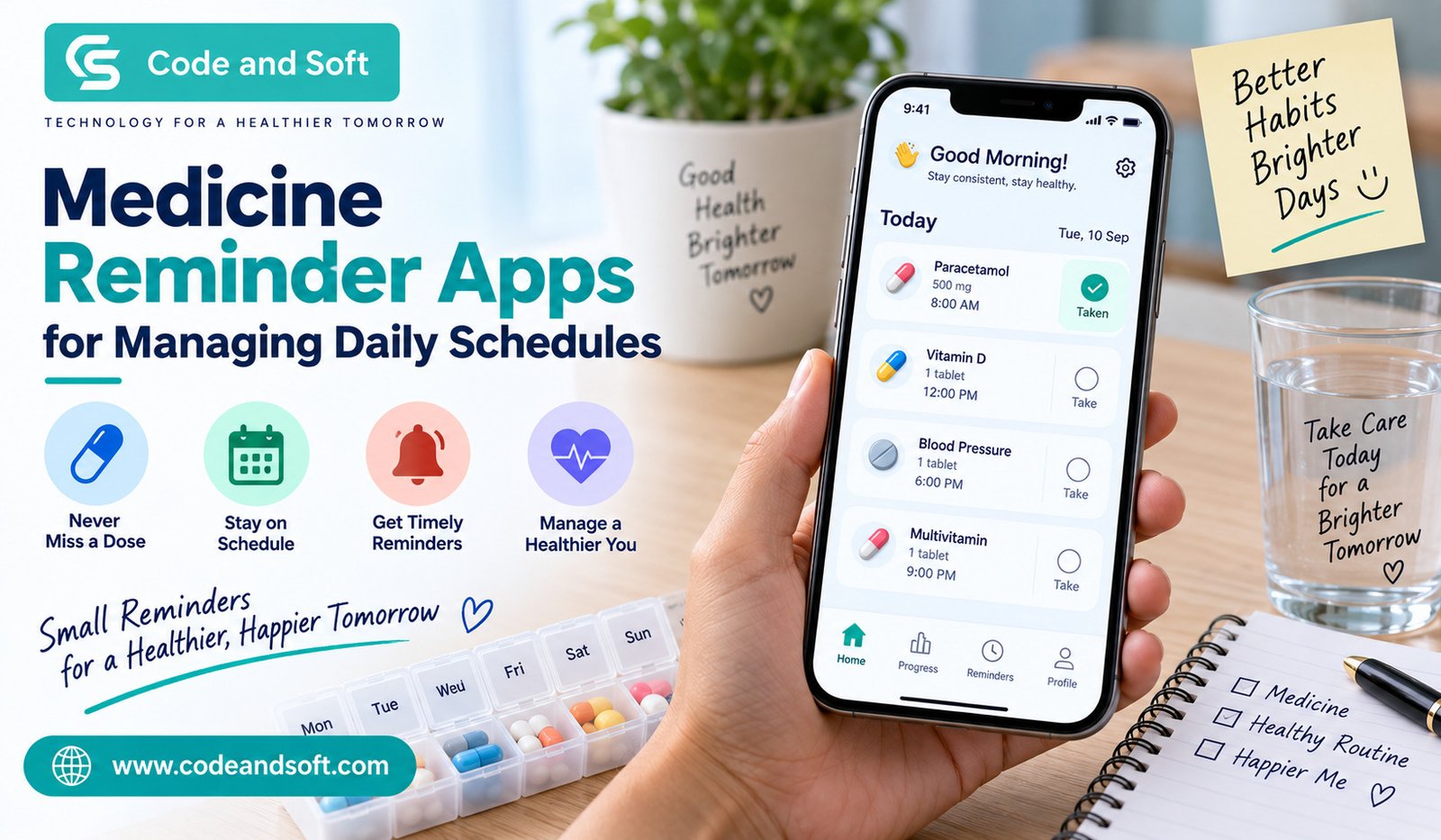

Managing medicines every day can become surprisingly difficult, especially when you have a busy routine. Between work, family responsibilities, appointments, travel, and everyday tasks, it is easy to forget whether you have taken a particular tablet or when the next dose is due. This is where Medicine Reminder Apps can make your daily routine much easier to manage.
Instead of relying only on memory, handwritten notes, or alarms that you might accidentally dismiss, you can use a dedicated app to organize your medication schedule in one place. Depending on the app you choose, you may be able to set reminders, track doses, manage multiple medicines, and keep useful information about your medication routine.
If you regularly take prescription medicines, vitamins, supplements, or other scheduled medications, a reminder app can give you an additional layer of organization. However, it is important to remember that these apps are organizational tools, not replacements for advice from your doctor or pharmacist.
Why Managing a Medicine Schedule Can Be Difficult
When you take just one medicine at the same time every day, remembering it may seem simple. The situation becomes more complicated when you have several medicines with different instructions.
You might need to take one tablet in the morning, another after lunch, and another before going to bed. Some medicines may need to be taken with food, while others may have specific timing instructions. A change in your daily schedule can make this even harder.
You can also forget a dose simply because your routine changes. A late night at work, a weekend trip, or an unexpected appointment can be enough to disrupt your normal schedule.
This is why having a system that reminds you at the right time can be helpful.
What Are Medicine Reminder Apps?
Medicine Reminder Apps are smartphone applications designed to help you organize and remember your medication schedule. You typically enter information such as the medicine name, dosage instructions, and the times you need to take it.
Once your schedule is set up, the app can send notifications when it is time to take your medicine. Some apps also allow you to mark a dose as taken, skipped, or delayed.
The exact features vary from one app to another. Some focus primarily on reminders, while more advanced options may include medication lists, refill notifications, health tracking, and tools for sharing information with caregivers.
The biggest advantage is convenience. Instead of trying to remember every detail yourself, you can use your phone as a central place for your schedule.
Key Features You Should Look For
Not every reminder app works in the same way. Before choosing one, you should consider which features actually fit your routine.
1. Customizable Reminders
A good reminder system should allow you to set different times for different medicines. This becomes especially useful when you have a complicated schedule.
Look for options that let you create recurring reminders and adjust them when your routine changes.
2. Multiple Medicine Support
If you take several medicines, you do not want an app that becomes confusing after adding the second or third one.
Choose an app that lets you create separate schedules and clearly identifies each medicine. A simple interface can make a big difference when you are checking your schedule quickly.
3. Dose Tracking
A reminder tells you when it is time to take something, but tracking helps you remember whether you actually took it.
Some apps allow you to mark each dose as completed. This can be useful when you suddenly wonder, “Did I already take my medicine?”
4. Refill Reminders
Running out of an important medicine can disrupt your routine. Some apps allow you to enter the number of tablets or doses you have and provide a reminder when your supply is getting low.
You can then plan ahead rather than waiting until the last few doses.
5. Flexible Scheduling
Your medication routine may not always follow the same pattern every day. You might have medicines that are taken weekly or at specific intervals.
A flexible app can be more useful than a basic alarm because you can create schedules that better match the instructions you have been given.
6. Caregiver Features
If you help manage medicines for a parent, child, or another family member, caregiver functionality can be useful.
Depending on the app, you may be able to monitor reminders, track whether a dose has been recorded, or maintain medication information for another person.
However, you should always consider privacy settings before sharing health-related information through an app.
How Medicine Reminder Apps Can Fit Into Your Daily Routine
The real benefit of an app comes from making it part of your normal routine.
For example, you can set a morning reminder around the time you normally wake up. If another medicine needs to be taken later, you can create a separate notification for that time.
You can also connect medicine-related tasks with habits you already have. For instance, you might check your reminder while preparing breakfast or getting ready for bed.
The goal is not to make your routine more complicated. Instead, you want the app to quietly support habits you already have.
Once your schedule is configured correctly, you should not need to spend much time managing it every day.
Medicine Reminder Apps vs. Regular Phone Alarms
You can certainly use your phone’s standard alarm feature to remind you about medicine. For a simple schedule, that may be enough.
However, a dedicated medication app can offer more organization.
With a regular alarm, you might see a notification saying something like “Medicine,” but you may not immediately know which medicine it refers to. With a dedicated app, you can often associate the reminder with a particular medicine and scheduled dose.
You may also get additional features such as dose history, refill alerts, and multiple medication schedules.
If you only need one reminder each day, a standard alarm could be perfectly adequate. If your schedule involves several medicines, dedicated Medicine Reminder Apps can provide a more structured solution.
Tips for Setting Up Your Medication Reminders
When you first install an app, take a few minutes to set everything up carefully. Accuracy is important because the app will only remind you according to the information you enter.
Start by adding each medicine separately. Double-check the name, dosage information, frequency, and timing against the instructions provided by your healthcare professional or pharmacist.
If your medicine has specific instructions about food or timing, make sure you understand those instructions before creating the schedule.
You should also test the notifications after setting them up. Check whether your phone allows the app to send notifications and whether battery-saving settings could interfere with them.
If you change your medication routine, update the app rather than relying on an old reminder.
Most importantly, do not change the dosage or timing of a medicine simply because an app suggests it. Your medication instructions should come from your healthcare professional.
Privacy and Security Matter Too
When you use a health-related application, privacy deserves attention.
Before entering personal information, check what data the app collects and how that information is stored or shared. Read its privacy policy and review the permissions it requests.
You should be particularly careful if the application asks for access to information that does not seem necessary for its basic function.
Using a strong password and keeping your smartphone protected can also reduce unnecessary privacy risks.
If you share medication information with family members or caregivers through an app, make sure you understand exactly what information they can see.
Are Medicine Reminder Apps Suitable for Everyone?
These apps can be useful for many people, but they are not a complete solution for every situation.
If you have memory difficulties, a complicated treatment plan, or medicines that require special handling, you may need additional support from a caregiver, pharmacist, or healthcare professional.
You should also avoid assuming that a notification means your medicine is automatically safe to take. If you have questions about missed doses, interactions, side effects, or changes to your medication, contact an appropriate healthcare professional rather than relying on the app.
Think of the app as a scheduling assistant. The medical decisions should still come from qualified professionals.
Making Your Routine More Consistent
One of the biggest advantages of using Medicine Reminder Apps is consistency. Once your reminders become part of your everyday schedule, you can reduce the amount of mental effort involved in remembering each dose.
You can also use the app alongside other simple habits. Keeping medicines in an appropriate, consistent location, maintaining an updated medication list, and reviewing your schedule regularly can make your routine easier to manage.
If you travel frequently, check your reminder schedule before leaving. Different time zones and changes in your daily routine can affect when notifications appear, so you may need to make adjustments according to your healthcare instructions.
Final Thoughts
Keeping track of medicines does not have to depend entirely on your memory. With the right Medicine Reminder Apps, you can organize your daily schedule, receive timely notifications, record doses, and potentially keep track of refills from your smartphone.
The best app for you depends on your routine. If you only need a simple reminder, a basic solution may be enough. If you manage several medicines, you may benefit from features such as multiple schedules, dose tracking, refill alerts, and caregiver support.
Before choosing an app, focus on simplicity, reliability, privacy, and the features you will actually use. Once everything is set up correctly, the app can become a convenient part of your everyday routine.
Just remember that a reminder app is there to help you manage your schedule, not make medical decisions for you. For questions about your medicines, dosage, timing, missed doses, or possible side effects, always follow the guidance of your doctor or pharmacist.